When you’re planning a meeting, training course, or conference session, choosing the right front-of-room tool matters. Should you stick with a classic whiteboard or opt for an interactive screen/touchscreen (often called a smart board)? As an AV and events partner, we stock both touch screens and white boards, and we see them used in every setting—from quick stand-ups to strategy away days. Here’s a practical guide to help you decide.
Quick answer
- Choose a whiteboard when you want fast, low-friction brainstorming, you’re in a small room, or you have lots of short sessions with many presenters.
- Choose a touchscreen when you need interactivity with content (documents, web, apps), remote participation, digital ink saved to files, or high-impact training delivery.
- Add live scribing / graphic recording for plenary sessions and conferences where you want a visual summary that boosts recall and gives you shareable content afterwards
The case for whiteboards
Why teams love them
- Instant start-up. Pick up a pen and write. No menus, cables, or logins.
- Great for divergent thinking. Big, blank canvas encourages freeform mapping, SWOTs, and storyboarding.
- Low maintenance. Markers and wipes are inexpensive; no software updates.
- Flexible layouts. Wheel a mobile board across rooms; flip the board to preserve earlier notes.
Best use cases
- Daily stand-ups and huddles
- Planning walls and Kanban columns
- Small group training where speed beats polish
- Rooms with a rotating cast of external speakers who don’t want to sign in
Watch-outs
- No automatic capture. If you want “visual minutes,” you’ll need to photograph the board.
- Limited remote visibility. Whiteboard writing is often hard to read over video.
- Ink management. Dry pens and ghosting can slow a session.
The case for touchscreens / interactive screens (smart boards)
Why presenters pick them
- Annotate anything. Draw directly over slides, web pages, spreadsheets, or video; save as PDFs.
- Built-in collaboration. Many panels support wireless casting and hybrid tools, helping remote learners follow along.
- Training room equipment ready. Timers, templates, sticky notes, and multi-user touch keep energy high.
- Digital records. Export annotated materials as handouts or after-action notes.
Best use cases
- Product training with live software demos
- Hybrid workshops requiring remote participation
- Leadership briefings where the deck evolves in the room
- Compliance or technical courses where annotations become part of the pack
Watch-outs
- Preparation helps. Loading assets, testing casting, and setting user profiles avoids friction on the day.
- Glare and height. Choose the right size and mount height for the room and audience.
Whiteboard vs Touchscreen: A side-by-side
Speed to start
- Whiteboard: Instant
- Touchscreen: Quick, but benefits from a 2-minute check
Content capture
- Whiteboard: Manual (photos)
- Touchscreen: One-tap save/export
Interactivity
- Whiteboard: Pen-only
- Touchscreen: Pen + multi-touch + apps + web
Hybrid meetings
- Whiteboard: Camera needs to frame the board; legibility varies
- Touchscreen: Share screen to remote delegates; clear and crisp
Running costs
- Whiteboard: Pens/cleaner
- Touchscreen: Software updates and occasional peripherals
Room impact
- Whiteboard: Simple, familiar
- Touchscreen: Modern, media-rich delivery
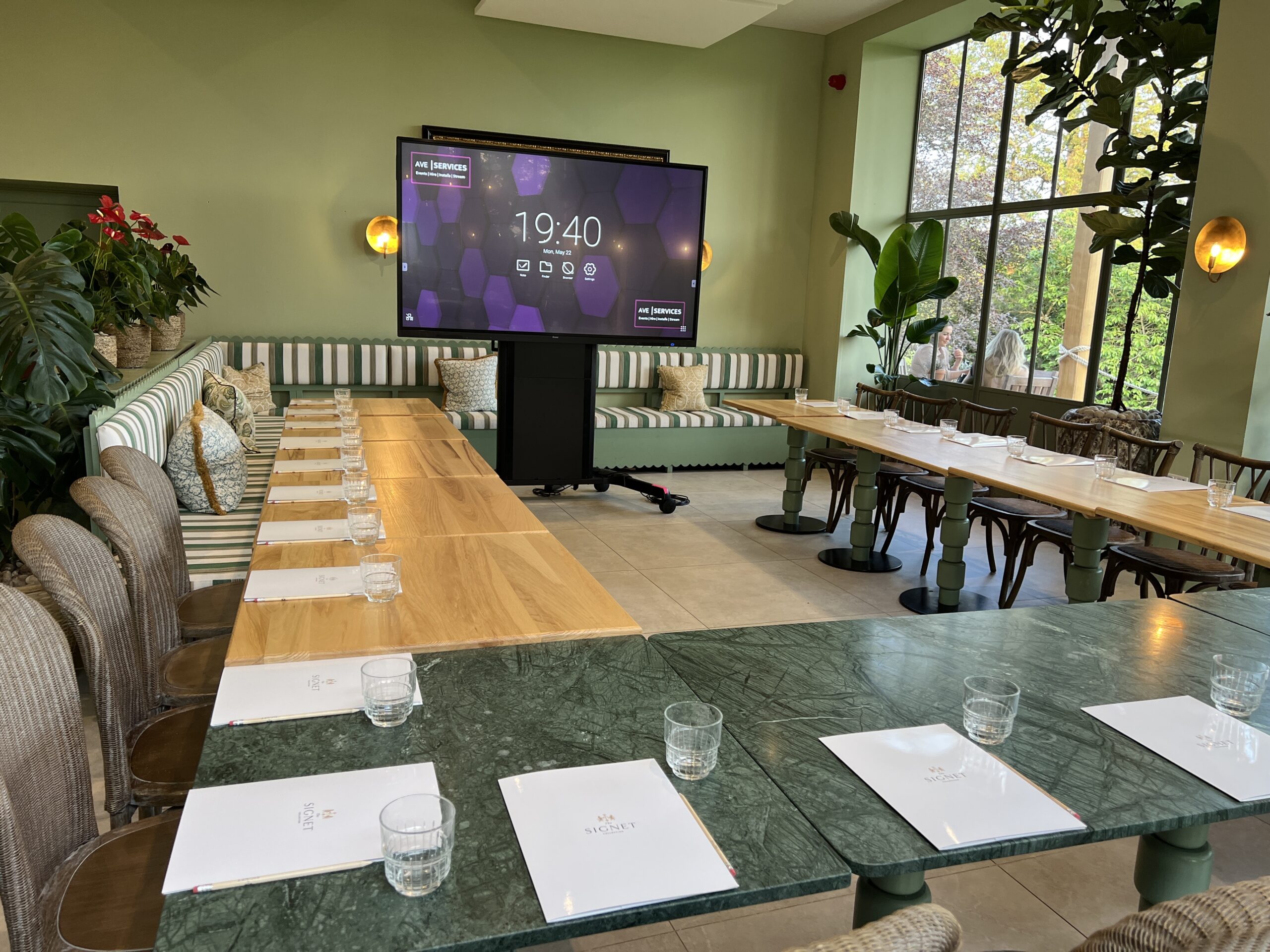
Where live scribing and graphic recording fit in
If your event includes a keynote, panel, or strategy session, consider graphic recording (also called live scribing or live illustration). A corporate artist listens in real time and creates a large-format visual summary—an “artboard” of your session’s headlines, diagrams, and quotes. You can pair this with either a whiteboard or a touchscreen:
- With a whiteboard: Keep facilitation simple at the front while the scribe builds a rich visual minutes panel at the side of the room.
- With a touchscreen: Present, annotate, and capture notes digitally while the scribe distils the narrative into a poster that becomes instant hallway content.
Why clients book live scribing
- Memory & engagement. Visual minutes make complex ideas stick.
- Shareable assets. Post-event, you’ll have images for internal recaps and social posts.
- Inclusive storytelling. Audiences who absorb information visually feel more included.
Choosing the right tool for your room
Room size & seating
- Small rooms (up to 10): A mobile whiteboard or a 55–65″ interactive screen works well.
- Medium rooms (10–24): Consider a 75–86″ touchscreen so back rows can read annotations.
- Training suites: A bank of whiteboards for breakout walls plus a main interactive screen for plenary teaching is a strong combo.
Session goals
- Idea generation: Whiteboard first; add sticky notes and colour coding.
- Skill transfer / software demos: Touchscreen to show, annotate, and export.
- Executive alignment: Touchscreen for clarity + graphic recording for a memorable summary.
People & process
- Lots of external speakers? Whiteboards reduce setup overhead.
- Need remote learners to follow along? Touchscreens make hybrid delivery straightforward.
- Want artefacts afterwards? Touchscreens (exports) plus scribing (poster) give you both digital and visual minutes.

Practical tips (from countless rooms we support)
- Markers & cleaning: Keep fresh low-odour pens and microfibre cloths next to every whiteboard.
- Panel height: Mount touchscreens with centre around 1.2–1.4m from floor so presenters of different heights can reach UI buttons.
- Lighting: Avoid direct downlights on both boards and screens to reduce glare.
- Templates: On touchscreens, preload timers, grids, and training templates; on whiteboards, use faint tape lines for consistent columns.
- Capture routine: End each session with a 60-second capture—scan the whiteboard or export the interactive screen notes to the course folder.
Not sure which to book?
Because we stock both touch screens and white boards, we can match the tech to your agenda, audience, and room. If you’d like to add graphic recording / live scribing, we can coordinate artists who’ll transform your day’s talk into a summary artboard you can keep.
Plan your next session with AVE Services:
📞 01635 899551
✉️ [email protected]
Can we help with your next idea? Don’t hesitate to reach out to our team to discuss your needs and find the best solution for you.
FAQ
In most modern setups, people use “smart board,” “interactive screen,” and “touchscreen” interchangeably. What matters is the software feature set and connectivity for your workflow.
Yes. Many trainers prefer a touchscreen for content and a whiteboard or flipchart for quick sketches and participant contributions.
Yes—core annotation works offline. You’ll need network access for casting, cloud saves, and web content.

Whiteboard Hire to Bloomsbury Street
AVE Services provided large whiteboards for an conference at the Radisson Blu Hotel on Bloomsbury [...]

Touch Screen Hire for Hybrid & Remote Meetings
Hybrid working is now the norm, and businesses need technology that keeps both in-room and [...]
Same-day Whiteboard Hire for an 8:30am Conference at Regency Park Hotel, Thatcham
When a venue calls with a last-minute request, we move fast. For a morning conference [...]
How Touch Screens Transform Training and Workshops
When it comes to training sessions and workshops, engagement is everything. Traditional methods—such as paper [...]
Whiteboards to hire
Whiteboards are an essential tool in a variety of environments, from offices and classrooms to [...]
Touch Screen Hire for Exhibitions and Events
Exhibitions and events are all about standing out. With so many businesses competing for attention, [...]

Touch Screen Hire for Education and Classrooms
In education, engaging students and encouraging participation are constant challenges. Traditional whiteboards and projectors can [...]